CMO's Top 15 Features -  Video Demos 

We strongly believe CMO management software can secure a strong advantage from the economic pressures and global competition for manufacturing industry leaders.

We have outlined CMO's 15 top most valuable functions below. Click the images for more details on a function or feature (if available).

 
To get your personal CMO Management Intranet started...                              

...Call us at 1-888-539-4664 Monday – Friday PST


 Overview Videos: CMO Advanced Overview Movie Click here  

#1

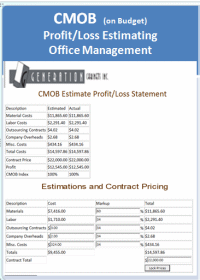
CMOB

 Cabinet Makers on Budget


Estimate, Profit/Loss Report


These work sheets show your live time reports:

  1. Profit for each Job
  2. Profit for each month 
  3. Profit progress throughout the year.
   

#2

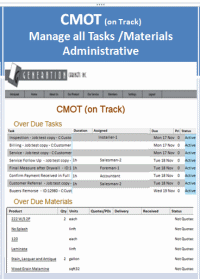
CMOT

 Cabinet Makers On Track


Task & Material Alerts Show Delays


These reports give you live time health reports. Are there any jobs at risk of being behind schedule?

  1. Task outstanding late reports for each job
  2. Material management tracking
  3. Overall job progress throughout the manufacturing cycle.


#3

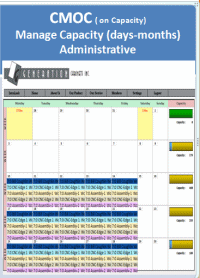
CMOC

 Cabinet Makers Capacity


Capacity Over or Under Alerts


These reports give you the work capacity of your company based on the time required to complete the jobs and scheduled work hours.


View capacity reports for a day, weeks or months in advance.


Easily click, drag & drop job installations on the calendar to determine if your company can handle the extra capacity for a given period.


#4

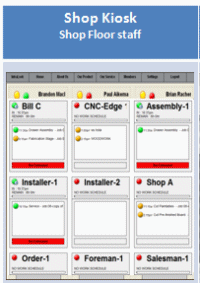
Shop Kiosk

 Touch Screen Kiosk
   

Simple Interface for the Shop 

With their finger or a mouse the shop staff can clock in for the day and start timing tasks in less than 15 seconds.

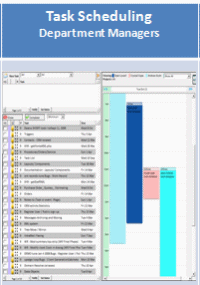
The department managers can see staff capacity and schedule all their staff for the day's pending tasks.

Staff can leave progress reports and start additional tasks in just a few seconds.


#5

Scheduling

 Task Scheduling for Staff


Efficiently Schedule Jobs or Individual Tasks

Live time scheduling for the day or weeks in advance is our most requested feature.

Most job tasks are initially assigned to department groups.

Then, before the next work shift, management confirms staff availability and assigns each task to individuals as needed and capacity allows.

Check to see the capacity of each staff and then optimize their work load.


#6

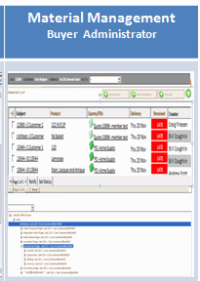
Material Management

 Estimates, Quotes and Purchase Orders


Effectively Manage Ordered Materials

  1. Material management starts off with the estimate.
  2. Historical pricing: pricing is drawn right from previous purchase orders
  3. Order or request a quote with just a few, easy clicks of the mouse.
  4. Read and receipt technology dramatically improves communications with live tracking to confirm your materials are quoted.
  5. Any overdue materials show up as CMOT alerts indicating impact on installation dates.


#7

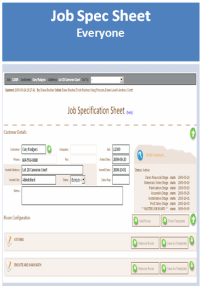
Job Spec Sheet

 Job/Order Entry


Enter Job Details Easily

The job starts and ends here!

  1. Start with the client, enter job details and plan the install date.
  2. Create a room profile
  3. Either import the materials list from design software or enter/modify the job spec sheet manually.
  4. You can copy a previous job and create/use room templates.
  5. Access your material list, send quotes and purchase orders.
  6. Track anticipated arrivals and product deliveries.

The product pages include a history of all previous purchases so you can accurately and quickly determine job costs.

All job details, changes and communications are here on the Job Spec Sheet so nothing gets lost!!


#8

Order Board

 All Job Tasks in One Place


Task Management Using the Work Order Board:

  1. View and adjust all the tasks that were created automatically from your templated list of work to do for each job.
  2. Reassign tasks and adjust estimate times
  3. Set activity status.
  4. CMOT alerts show overdue tasks that may critically affect the production timeline for quick review.


#9

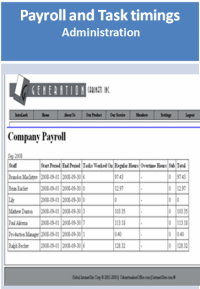
Payroll Task-Timer

 Staff Payroll Plus Time on Task


Track Time on Each Task or Report Payroll:

  1. Staff clock in and out each day including unpaid breaks providing an accurate, manageable payroll report.
  2. Each task can be timed so management can see the time that was budgeted time and the time a task actually took to complete.
  3. With live time data if tasks are over their time budgets you can quickly review staff progress reports, identify the trouble issues and resolve them.


#10

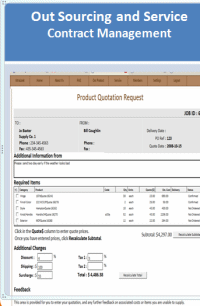
Contract Management

 Outsourcing, Servicing and Other Contracts


Track Your 3rd Party Contracts:

Communicate and collaborate on drawings and documents with full instructions all fully tracked using full read and receipt technology.

Dramatically reduce administration time and increase productivity using the communication tools.

The sales contract is a live document taking the price from the CMOB - Profit/Loss worksheet.


#11

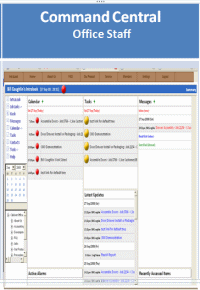
Command Central

 Centralized Communications via the IntraLook


Calendar Events, Tasks and Mailbox

  1. Work from any where you have an Internet connection.
  2. View and manage calendar events, tasks and messages
  3. Each staff at a web-enabled computer work station - whether at the office, at home or on vacation - can fully collaborate with the rest of the company and manage all job tasks.
  4. Data security and access as never before!!
  5. With a laptop on charged battery you still have full functional even if the power goes out.


#12

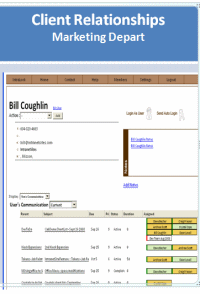
CRM

 Client Relationships Management
   

Support Clients and Generate Business

Many companies look for different ways to increase business. There is no better way than to develop long term referral relationships with past clients.

With a marketing plan and utilizing our CRM software you can work towards recession-proofing your company and protect your business from negative market fluctuations.

How do the experts build strong customer relations and generate extra business? Find out now:  Click Here


#13

Smart Phones

 Access via BlackBerry and Other Cell Phones
   

Remote Management via Smart Phones

With the BlackBerry and other newer smart phones you can access most functions of CMO software.

Basically if a phone can support Internet browsing then it should be able to use an intranet.

This technology increases CMO software functionality, reaching and collaborating with the installer or sales person on the road. 


#14

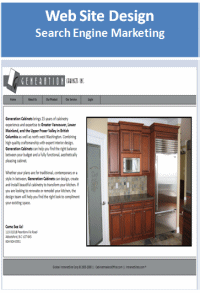
Website and SEM

 Custom Websites and Search Engine Marketing


Marketing to Increase Sales

Each method of marketing you embrace can help build your corporate reputation and drive new customers into your showroom.

A good professional website is always a great start.

Search engine marketing makes your company more popular for Internet searches and easier for your customer to find you.

* A referral customer will pay 10% more than a non-referred customer.

Recession proof your company!


#15

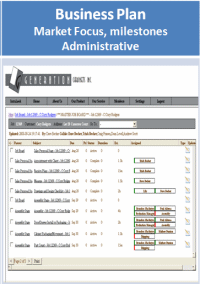
Business Plan

 No Plan is a plan to fail!


Maximizing Potential with a Business Plan

Most manufacturers only discover if they made a profit at tax time!

To make the most out of every job throughout the year:

  1. Determine the profit you wish to make for the year then divide that by 12 to set your monthly budget.
  2. Each job you quote on will include your real, planned profit and how that will help you meet your monthly and budget and financial goal for the year.


Number of visits on this page: 2,831. Number of visits on this site: 833,186.